 873a51fc87
- 升级 vitepress 到 ^2.0.0-alpha.17
- vite.optimizeDeps.rolldownOptions.transform.define 迁移至 vite.define 以适配 v2 API
- 同步升级 vitest/rolldown/vue/vite 等周边依赖
- 文档中类型链接统一改为 <<< 片段引用源码 region,避免 commit hash 链接失效
- packages/{core,editor,form-schema,schema,stage} 相关类型加 // #region 锚点
- 移除已废弃的 docs/guide/advanced/tmagic-ui.md 及侧栏入口

Co-authored-by: Cursor <cursoragent@cursor.com>
2.3 KiB
2.3 KiB
页面渲染
tmagic-editor的页面渲染,是通过在载入编辑器中保存的 DSL 配置,通过基础渲染组件(vue 下为 @tmagic/vue-container,react 下为 @tmagic/react-container)渲染页面。在容器布局原理里我们提到过,容器和组件在配置中呈树状结构,所以渲染页面的时候,渲染器会递归配置内容,从而渲染出页面所有组件。
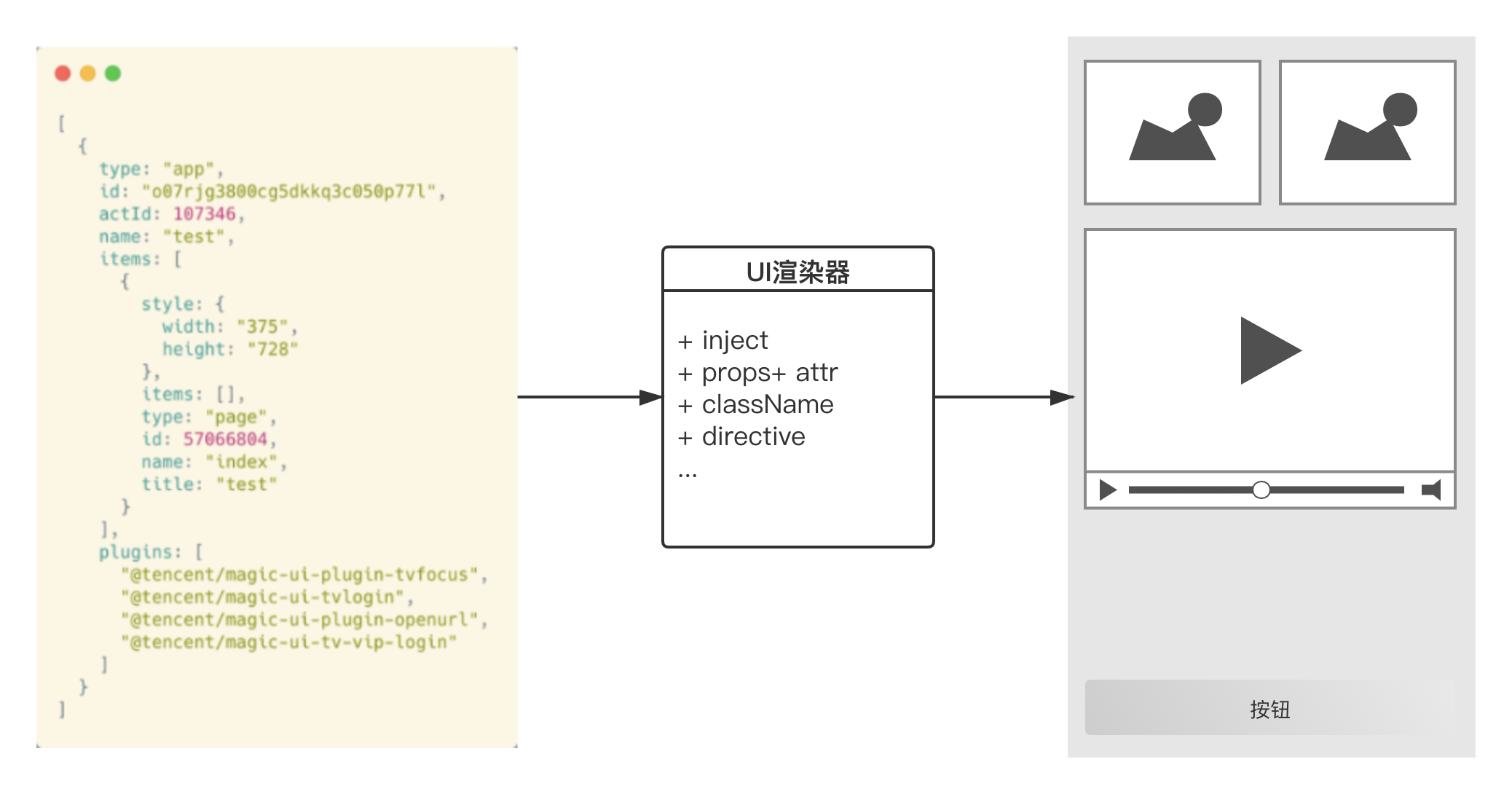
容器渲染
页面的渲染器,其实就是两个基础组件,基础容器组件和基础组件。页面在读到 DSL 配置之后,根组件必定是一个容器,此时渲染基础容器组件,而容器组件的职责很简单,就是将其子组件渲染出来。具体形式为:
<template>
  <div>
    <magic-ui-component
      v-for="item in config.items"
      :key="item.id"
      :config="item"
    ></magic-ui-component>
  </div>
</template>

<script>
export default {
  name: 'magic-ui-container',
};
</script>
组件渲染
所有tmagic-editor组件,都通过一个tmagic-editor基础组件来渲染。这个基础组件会识别当前渲染组件的类型。如果当前渲染组件是普通组件(包括 vue-components / react-components 中提供的基础组件和业务开发的业务组件),则直接渲染;如果当前渲染组件是容器,则回到容器渲染逻辑中。
基础组件的具体形式为:
<template>
  <component
    :is="tagName"
    :config="config"
  ></component>
</template>

<script lang="ts">
import { computed, defineComponent } from 'vue';

export default defineComponent({
  name: 'magic-ui-component',

  props: {
    config: {
      type: Object,
      default: () => ({}),
    },
  },

  setup(props) {
    return {
      tagName: computed(() => `magic-ui-${props.config.type}`),
    };
  },
});
</script>
渲染器示例
在tmagic-editor的示例项目中,我们针对 vue 和 react 分别提供了基础渲染组件的实现,可以参考对应前端框架的渲染器实现。