# ADB Wi-Fi

[](https://plugins.jetbrains.com/plugin/14969)
[](https://plugins.jetbrains.com/plugin/14969)
This plugin simplifies the usage of ADB's ["Connect over Wi-Fi"](https://developer.android.com/studio/command-line/adb#wireless) feature.
\
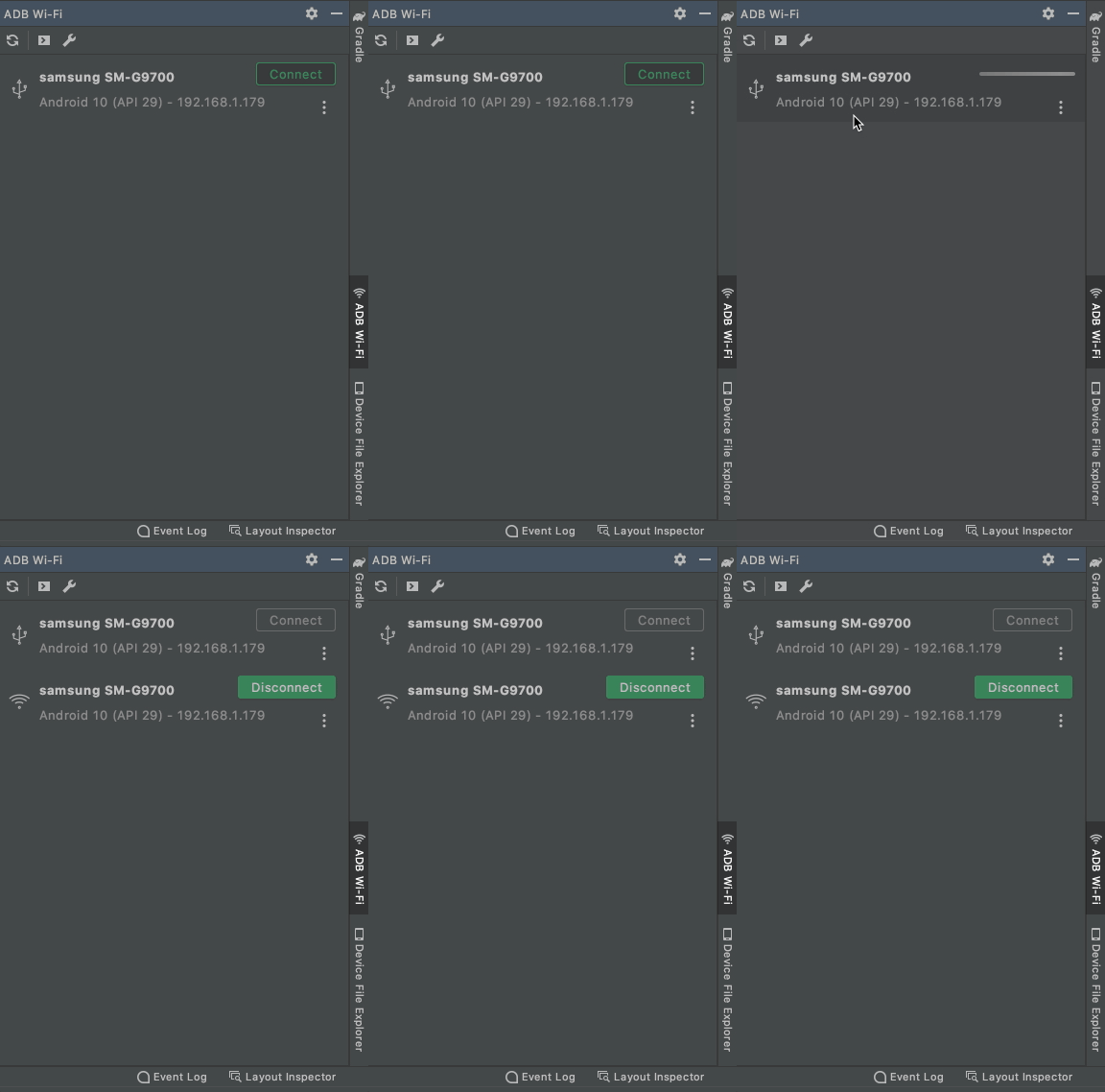
## Usage
1. Connect an Android device via USB cable.
2. Open the "ADB Wi-Fi" Tool Window (in the right-bottom corner).
3. Click the "Connect" button.
4. After a successful connection, you can unplug the USB cable.
## Installation
- Using IDE built-in plugin system:
Preferences > Plugins > Marketplace > Search for "ADB Wi-Fi" >
Install Plugin
- Manually:
Download the [latest release](https://github.com/y-polek/ADB-Wi-Fi/releases/latest) and install it manually using
Preferences > Plugins > ⚙️ > Install plugin from disk...
## How to run code
Open project in Intellij IDEA.
Available gradle tasks:
* `runIde` - launches a new instance of IDE with the plugin installed:
* Execute `./gradlew runIde` command in terminal
OR
* Press `Ctrl` twice to open the Run Anything window and execute `gradle runIde` command
* `check` - runs linters and tests
* `buildPlugin` packages installable zip file
Distribution zip file will be available under `./build/distributions/`
You can choose which version of IDE `runIde` task launches by adding `runIde` configuration `./build.gradle.kts`:
```
tasks {
...
runIde {
ideDir.set(file("/Applications/Android Studio.app/Contents"))
}
}
```